This post addresses picking up the better equipment for making your life wire-less inside your home. I shall address the nuances of public place Wifi hotspots in a later post.
I have been battling a war against the 2.4Ghz and 5Ghz in my home. The reason, is the "mushroom" of Wifi equipment in residential apartments as everyone goes Wireless in their homes and couple it with the multitude of gadgets which use the same 2.4 Ghz as do the wireless routers. This congestion of the frequency spectrum causes couple of issues which are highlighted below :
1. Interference due to concurrent use of devices such as cordless telephones or Microwave equipment.
2. Interference due to large number of wireless equipment in a given area.
3. Cross-Interference between equipment when the frequency are right next to each other.
The above issues coupled with other technical difficulties led to induction of the 5Ghz frequency in wireless equipment. This not only ensured that the wireless equipment operated in a range where none of the household equipment currently operate, but also to give a steady signal strength as well.
This introduction of a separate frequency led to design of new wireless equipment which utilize either 2.4 or 5 Ghz transmissions, or come with dual band frequency transmitters to support legacy equipments. Now, you might be thinking, what does all the above mean to an average consumer who just wants to buy a wireless router. Here's why.
If you know your equipment which utilize Wi-Fi functionality such as phones, laptops, tablets, PMPs. You can zero-in on the frequency you would require while also taking into consideration how much congested your wireless space is.
Wifi-n is the current standard which supports both 2.4 and 5Ghz bands depending on the manufacturer of the equipment. Older equipment running on Wifi-g / b operates mostly on 2.4Ghz while Wifi-a operates at 900 Mhz.
| Computing / Networking Equipment | Wireless Router | Telephone |
| Older Computing Equipment with Wi-fi G capability | Wireless - G | DECT 6.0 |
| New computing Equipment with Wi-fi N capability | Wireless – N | DECT 6.0 |
| Mix of the above | Dual & Simultaneous band Wireless – G/N | DECT 6.0 |
Most of the home networking setup would land in the last category where you would encounter mix of old and new equipment. The best way to address this go for the dual band and importantly “simultaneous” transmitting wireless router. Here is the marketing gimmick you need to be aware of :
a. Almost all of today’s Wireless routers come with flexibility to allow Wi-Fi N access over 2.4 and 5 GHz bands, but within the configuration, only one can be active at a given time.
b. The ones which come with capabilities to operate on both the bands are not very clearly identified unless you can find the word “simultaneous”.
The latter is always on a higher range price , but it will serve you well in many ways. First, the older equipment can keep chugging at the 2.4 spectrum, whereas all the new equipment supporting Wi-Fi N would benefit from accessing the 5GHz spectrum. It will allow the newer equipment to work at its best setting thus provide your with a faster bandwidth experience in operation. The networking mantra is always “the least speed of a connected device will determine the overall speed for the network”, this is also true for wired and wireless connections.
If you go with the last category in the table, your network should be operating in the following way :
- Wi-Fi N clients >>> 5 GHz >>>65 – 300 Mbps connectivity
- Wi-Fi G clients >>> 2.4Ghz >>>36-54 Mbps connectivity.
Couple of noteworthy Wireless routers are shown below, which I have tried out :
Wireless G/N Device ( Operates on one band at a time).
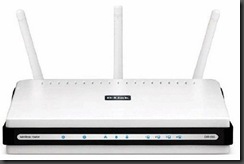
Wireless G/N Device (Operates simultaneous bands)
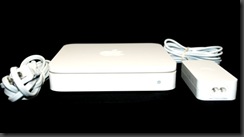

I hope the above points help you in deciding the right equipment and provide the value of investment with peace of mind. Happy Networking.


